Overview
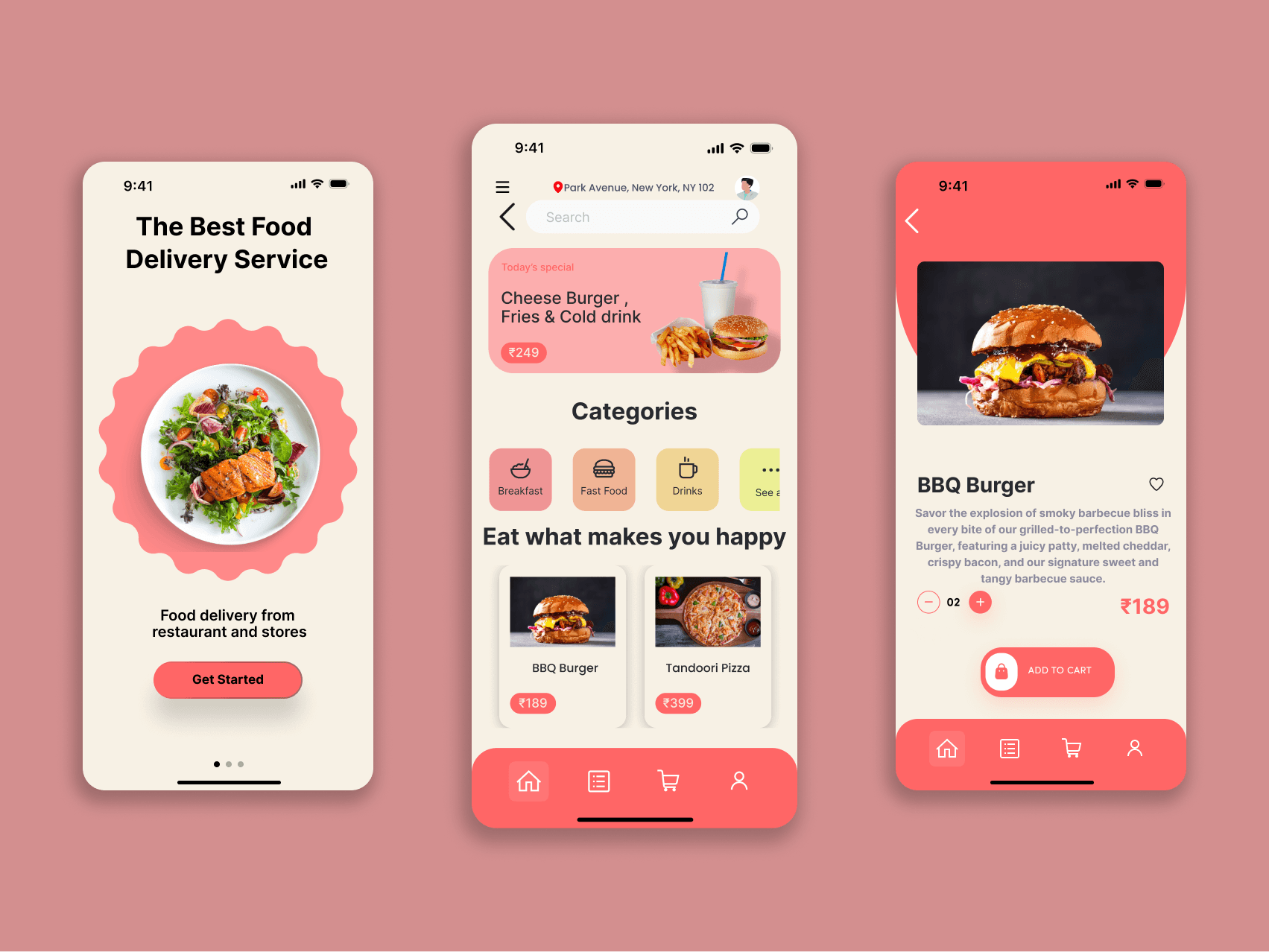
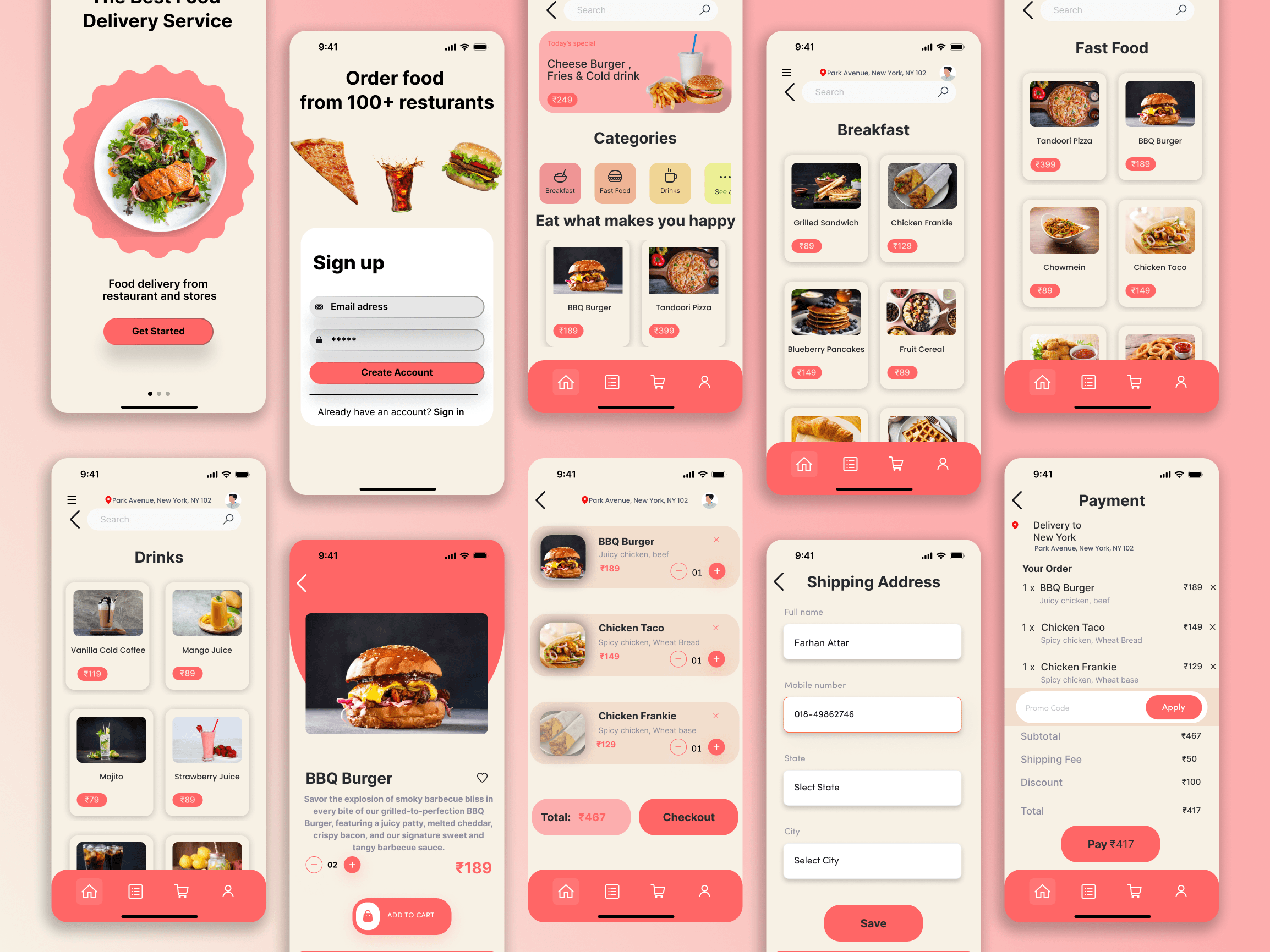
This food delivery app design creates an inviting and user-friendly platform to help users explore and order food seamlessly. It covers all essential touchpoints, from account creation to payment, making it a complete solution for food lovers.
Key Features
Onboarding and Signup:
Splash Screen: Features high-quality food imagery to immediately engage users.
CTA: Bold Get Started button directs users to create an account or sign in.
Signup Screen: Simple form with email/password input ensures easy onboarding.
Category Browsing:
Homepage:
Displays popular categories like Breakfast, Drinks, and Fast Food.
Icons and category blocks are neatly arranged for quick navigation.
Explore Section: Encourages users to "Eat what makes you happy" with highlighted options.
Menu and Product Details:
Food Grid:
High-quality thumbnails for each item make browsing enjoyable.
Prices are clearly shown under each dish.
Product Detail Screen:
Descriptive text for food items (e.g., "BBQ Burger") to entice users.
Prominent Add to Cart button for quick action.
Checkout Process:
Cart Screen:
Summarizes selected items with price breakdown.
Clear CTA for proceeding to checkout.
Shipping Address:
Intuitive form with fields for contact and location details.
Payment Screen:
Final breakdown of order, including subtotals, discounts, and shipping fees.
Highlighted Pay button for completion.
Visual Design
Color Palette:
Primary Colors: Soft pink dominates the interface, giving it a warm, friendly vibe.
Accents: Red and white accents for actionable buttons and text ensure visibility.
Background: Subtle beige tones keep the interface light and inviting.
Typography:
Clean and minimal fonts for better readability.
Bold text for pricing and CTAs to draw attention.
Icons and Graphics:
Custom icons for navigation (home, cart, etc.) enhance the visual hierarchy.
Food graphics and illustrations add playfulness to the design.
User Experience (UX) Highlights
Navigation:
Bottom navigation bar makes it easy to switch between Home, Cart, and Profile.
Clear back buttons ensure users can return to previous screens effortlessly.
Engagement:
Use of high-resolution food images creates an emotional pull.
Highlighted deals and discounts encourage users to order more.
Checkout Simplicity:
Step-by-step process for checkout minimizes confusion.
Autofill options for address save time for frequent users.